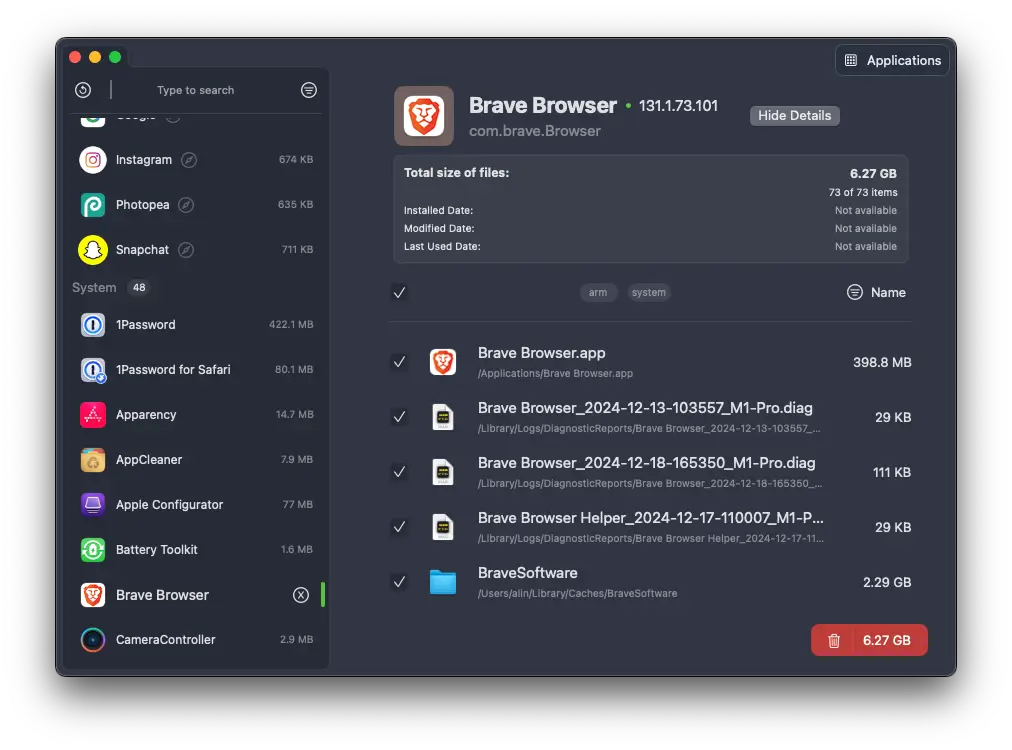
Uninstalled an app but still finding its ghost haunting your Mac? Pearcleaner is here to banish those pesky leftovers for good—a free, source-available utility that takes app cleanup to the next level. Inspired by AppCleaner but with a modern twist, it digs deep to erase orphaned files, caches, and stray bits that standard uninstalls miss. Drag an app to zap it, right-click in Finder for a quick goodbye, or let its Sentinel monitor sniff out trash in the background. Whether you’re a neat freak purging old apps, a dev clearing coding cruft, or just someone who hates clutter, Pearcleaner keeps your Mac lean with a sleek interface and zero cost. Open-source under a fair-code license, it’s your ticket to a spotless system—simple, thorough, and totally free.
Why You’ll Love It
- Deep Sweep: Finds and trashes app leftovers like a pro.
- Trash Watcher: Sentinel keeps an eye on your bin for stragglers.
- Easy Uninstall: Dump apps via drag, Finder, or command line.
What It Offers
- Clean Core: Hunts orphaned files and dev caches with precision.
- Uninstall Flex: Drag-and-drop, Finder extension, or CLI—your pick.
- Smart Extras: Exports app bundles, skips folders you keep, and auto-updates.
- Look Good: Custom themes and a mini mode for quick use.
- Mac Ready: Light, free, and built for macOS 13+.
Perfect For
- Clean Freaks: Banish every last app trace.
- Devs: Clear out coding junk with ease.
- Minimalists: Keep your Mac crisp and uncluttered.
- Tinkerers: Play with custom cleanup options.
Get Started
- Download: Snag it free from Pearcleaner.
- Install: Drag it to Applications, grant permissions, and launch.
- Clean: Drop an app or right-click in Finder to start scrubbing.
- Relax: Let Sentinel watch for leftovers in the background.
System Requirements
- macOS 13.0 (Ventura) or higher
- 4GB RAM minimum
- Works on Intel and Apple Silicon Macs
- Needs Full Disk, Accessibility, Automation permissions