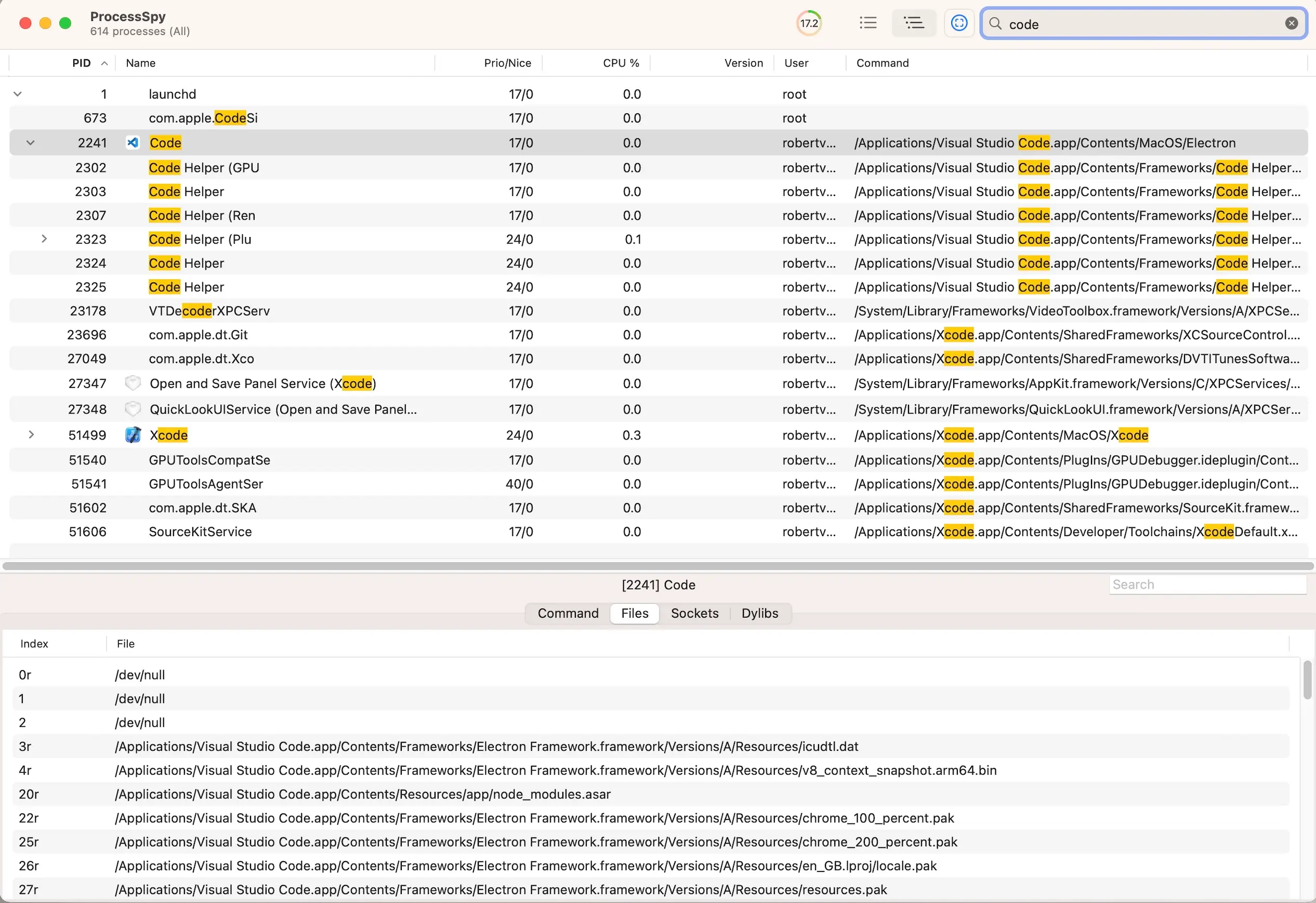
Ever wondered what’s really going on under your Mac’s hood—or needed to pinpoint that one sneaky process hogging resources? Process Spy is your free, power-user upgrade to macOS process monitoring, leaving basic tools like Activity Monitor in the dust. This app dishes out real-time details on every running process—command lines, file access, network connections—and lets you highlight, filter, or kill them with a click. Developers can debug with ease, admins can track system health, and curious tinkerers can snoop around, all through a slick interface that’s as intuitive as it is deep. Click a process to find it in Finder, color-code your favorites, or automate with Shortcuts—Process Spy puts you in control. Built for macOS, it’s the pro-grade spyglass your system’s been begging for, all at zero cost.
Why You’ll Love It
- Live Look: See processes update in real-time.
- Highlight Magic: Tag key processes with custom colors.
- Click & Find: Locate a process’s files instantly.
- File Peek: Track what files each app touches.
- Net Watch: Monitor connections on the fly.
What It Offers
- Deep Dive: Shows command args, paths, and live stats.
- Control Kit: Highlight, search, or terminate with ease.
- Finder Link: Jumps to process locations or copies paths.
- Smart Extras: Filters with JavaScript, automates via Shortcuts.
- Mac Native: Fast, free, and fits macOS perfectly.
Perfect For
- Devs: Debug and track app behavior.
- Admins: Keep tabs on system processes.
- Power Users: Dig into what’s running.
- Curious Minds: Explore your Mac’s inner workings.
Get Started
- Download: Grab it free from Process Spy.
- Install: Drag it to Applications and launch.
- Spy: Watch processes, highlight faves, or kill troublemakers.
- Tweak: Add filters or Shortcuts for your workflow.
System Requirements
- macOS 11 (Big Sur) or higher
- 4GB RAM minimum (8GB recommended for heavy use)
- Works on Intel and Apple Silicon Macs
- Admin rights for some features