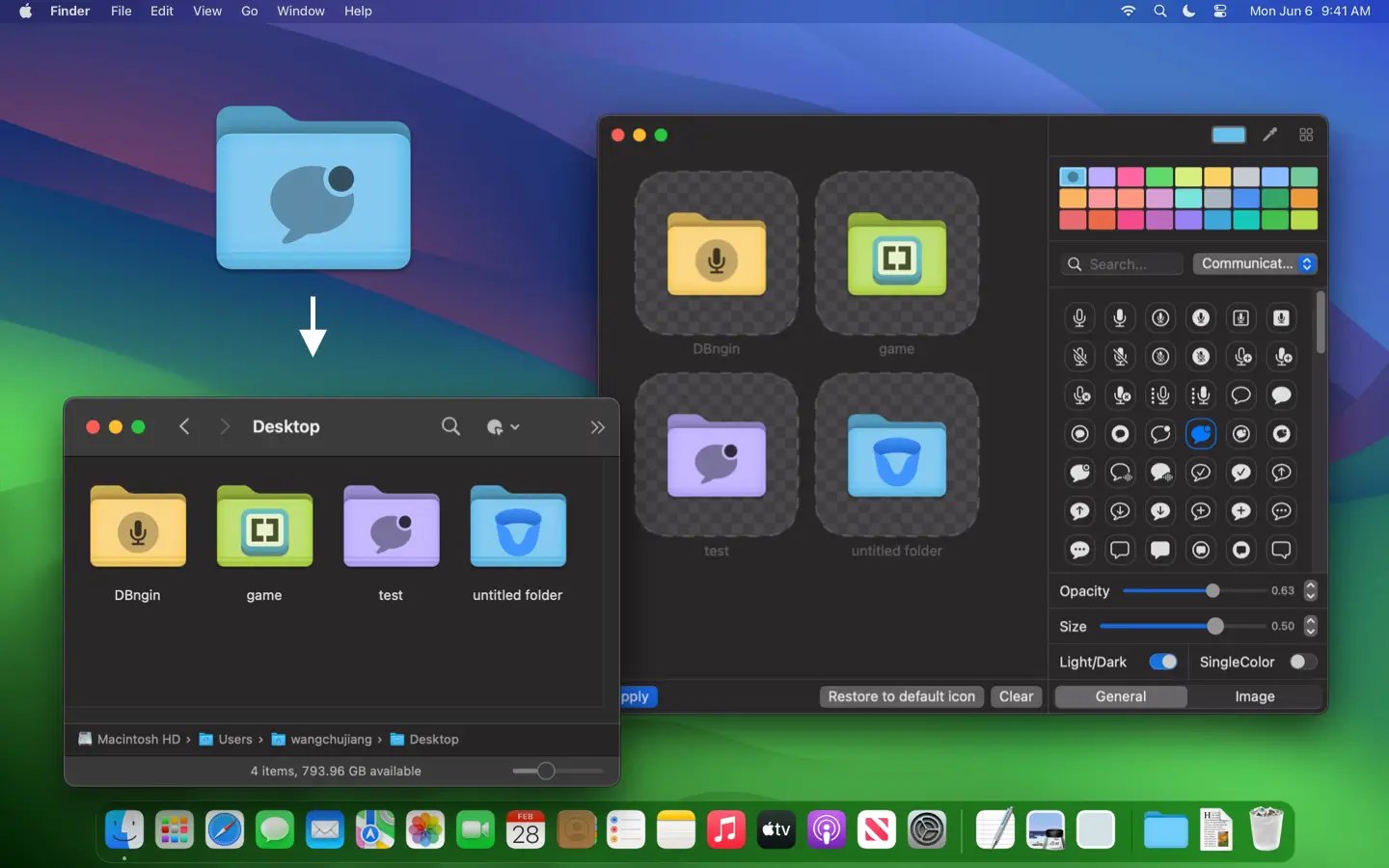
Drowning in a sea of bland blue folders on your Mac? Iconize Folder is your free escape hatch—a playful, powerful app that turns your Finder into a canvas of color and style. With a shake of over 5,000 unique symbol icons or a splash of vibrant presets, you can tag your folders with personality, from “Work Stuff” in bold red to “Vacation Pics” with a sunny beach vibe. Drag in your own images, tweak transparency, or export your creations as .icns files—it’s all about making your files pop and your workflow sing. Whether you’re a creative sorting masterpieces, a student organizing notes, or just someone who hates dull desktops, Iconize Folder brings flair and function together, all locally on your Mac. Free, open-source, and ready to transform your file game, it’s the folder facelift you’ll wish you’d found sooner.
Why You’ll Love It
- Color Pop: Paint your folders with vivid hues or presets.
- Icon Bonanza: Pick from 5,000+ symbols for every vibe.
- Picture Perfect: Add your own images to folder icons.
- Dock Drop: Quick-import paths straight to your Dock.
- Size It Up: Adjust icon transparency and scale.
What It Offers
- Icon Feast: Over 5,000 symbols, plus custom image options.
- Color Play: Dozens of shades or your own custom picks.
- Export Ease: Save icons as .icns for use anywhere.
- Dock Smarts: Imports folder paths in a snap.
- Mac Joy: Light, local, and built for macOS flair.
Perfect For
- Creatives: Tag projects with visual flair.
- Students: Sort notes with colorful cues.
- Organizers: Spot files fast with style.
- Fun Seekers: Love a desktop that pops.
Get Started
- Download: Snag it free from the App Store.
- Install: Drag it to Applications and launch.
- Style: Pick a folder, add an icon or color, and go.
- Enjoy: Watch your Finder turn into a masterpiece.
System Requirements
- macOS 14.2 (Sonoma) or higher
- 4GB RAM minimum
- Works on Intel and Apple Silicon Macs